
Prefered Language
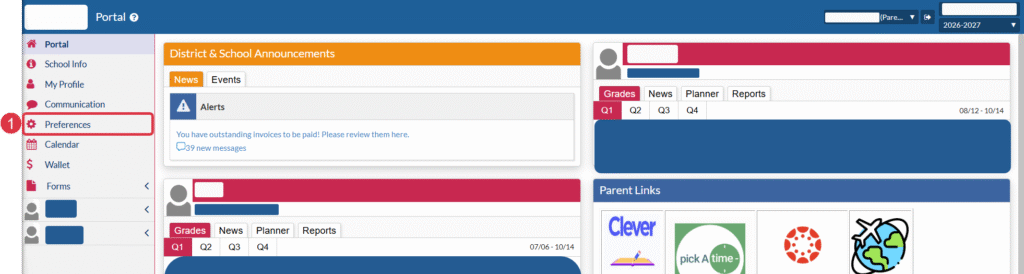
To update your prefered language for your parent portal and communications from your school/district, log into your portal and follow the steps below.
1. Click Preferences on the left side of the page.
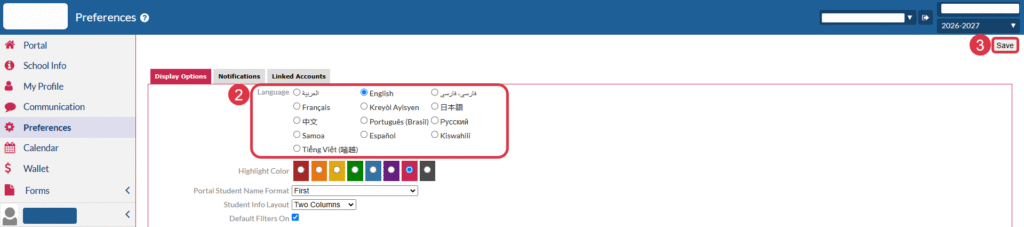
2. Choose your language preference from the available options
3. Click Save
Notifications
You can choose the frequency of notifications from Focus by going into your preferences.
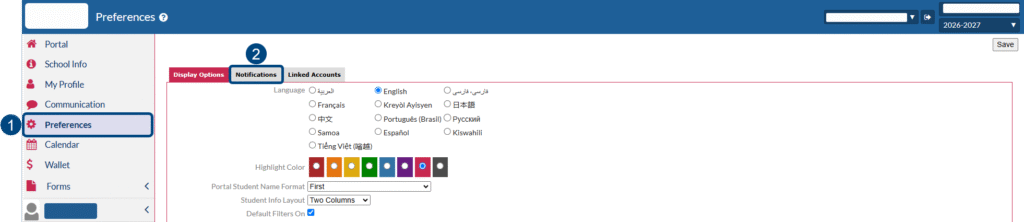
1. Select Preferences on the left side of your portal
2. Select the Notifications tab
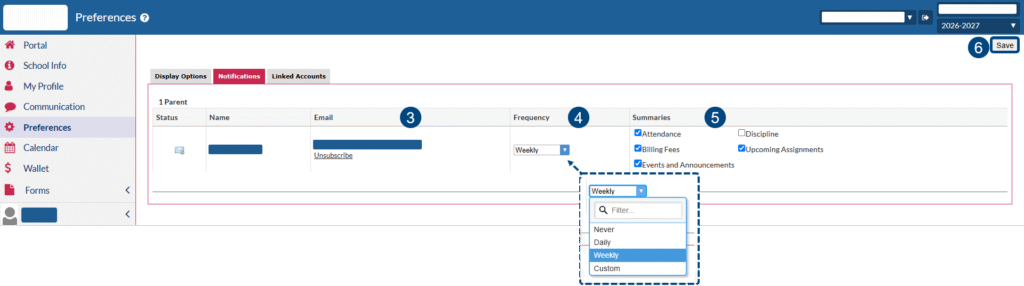
3. Confirm your email address. If the email address is wrong, please contact your child’s school.
4. Using the pull-down menu, choose the frequency with which you’d like to receive communication.
5. Use the checkboxes to select the types of communication you’d like to receive.
6. Click Save to save your preferences.
You must be logged in to post a comment.